
Download Valentina Studio – database management, schema editor, diagram editor, data editor, SQL editor, database design, database tool
Overview
Valentina Studio is a mobile database management application designed to streamline the workflow for developers and database administrators. Built with a focus on visual clarity and functional depth, the app enables users to create, modify, and manage database schema objects, design visual diagrams, and manipulate data directly from their smartphones or tablets. It supports multiple database engines, offering a unified interface for handling complex database tasks across different platforms. The tool is particularly useful for professionals who need to perform on-the-go database maintenance, documentation, or quick schema adjustments without relying on desktop environments.
Valentina Studio addresses common challenges in database management such as inefficient schema navigation, lack of visual representation, and limited mobile access to SQL tools. By providing intuitive visual editors, it reduces the learning curve for new users while empowering experienced professionals with advanced capabilities. Real-world use cases include reverse engineering legacy databases, documenting complex relationships through diagrams, and executing ad-hoc data queries during fieldwork or remote collaboration. The app fills a critical gap in the mobile productivity ecosystem by bringing professional-grade database functionality to handheld devices.
Developed by Valentina Database Inc., the application reflects a commitment to robust, cross-platform database tools. Although the developer did not provide additional technical details about their background, the app’s feature set suggests a focus on developer-centric utilities. The inclusion of both free and pro-tier functionality indicates a tiered approach to accessibility and advanced tooling, making it a versatile solution for various professional needs.
Key Features & Functionality
- Schema Editor: Enables users to create and modify tables, views, stored procedures, and other schema components using either tree or column views. This dual-view system supports both hierarchical navigation and detailed column-level editing, ideal for managing complex database structures.
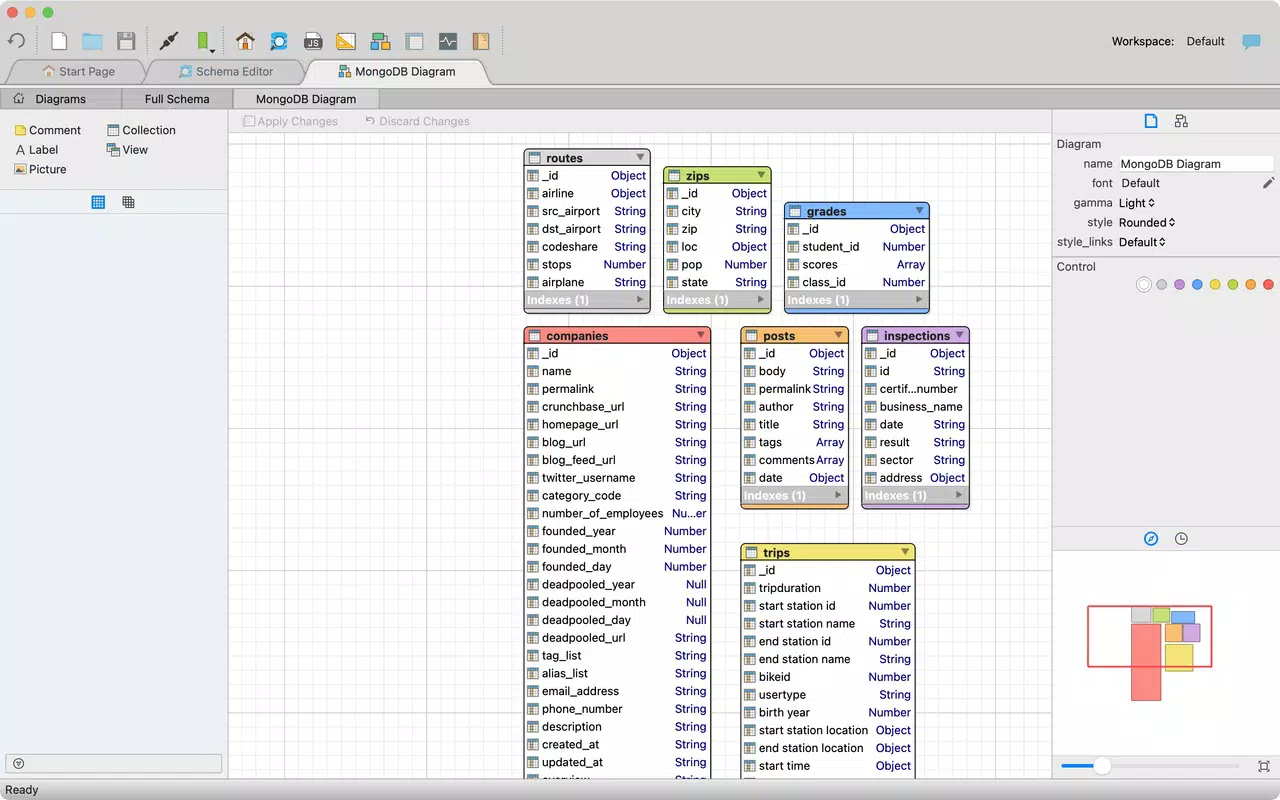
- Diagram Editor: Offers a visual workspace for designing new database diagrams or reverse-engineering existing databases. Users can drag and connect entities to map relationships, making it easier to understand, document, and modify database designs.
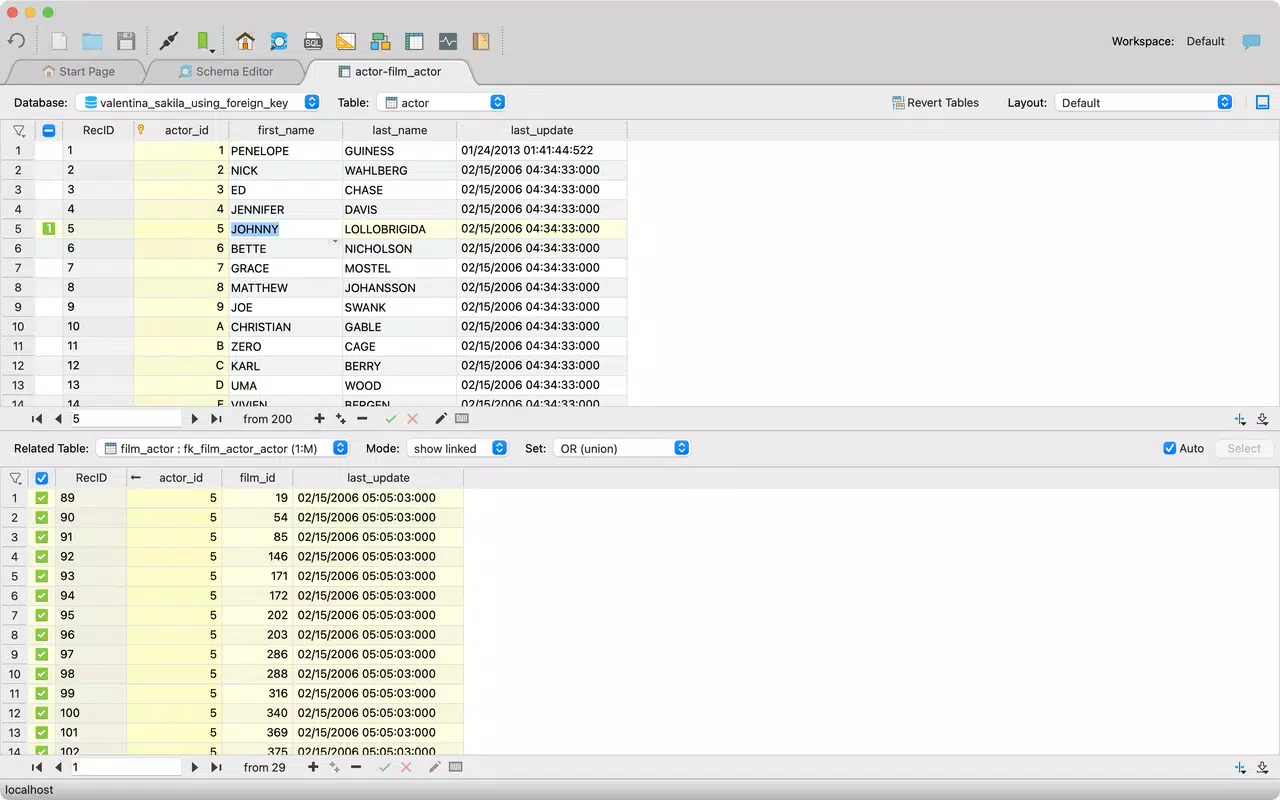
- Data Editor: Provides a user-friendly interface for browsing, filtering, and editing table records. Inline editing, sorting, and favorites allow for efficient data management. Support for binary data and image previews enhances usability in multimedia or content-heavy databases.
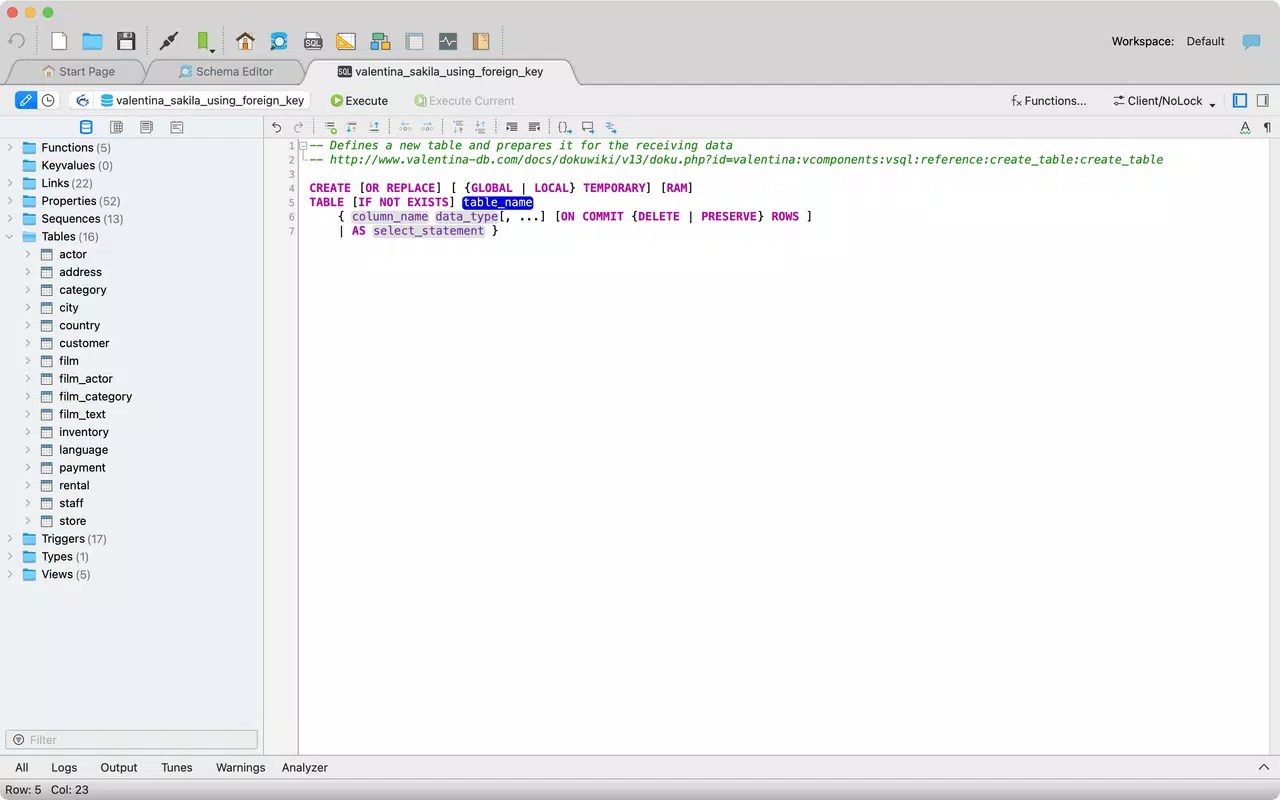
- SQL Editor: Features syntax highlighting, auto-completion, and query templates to improve writing accuracy and speed. Real-time error and warning reporting helps users identify and fix issues in their SQL statements quickly.
- Advanced Pro Features: Upgrading to Valentina Studio Pro unlocks report and form editors, data transfer tools, and enhanced schema management capabilities. These features are tailored for teams requiring full-featured database development and integration workflows.
For example, a developer working remotely can use the Diagram Editor to visualize a database structure before making changes, then switch to the SQL Editor to execute precise queries. A database administrator might use the Data Editor to quickly update records during a system audit, while leveraging the Schema Editor to restructure tables with confidence. The integration of multiple tools within a single app reduces context switching and enhances productivity.
Interface, UX & Performance
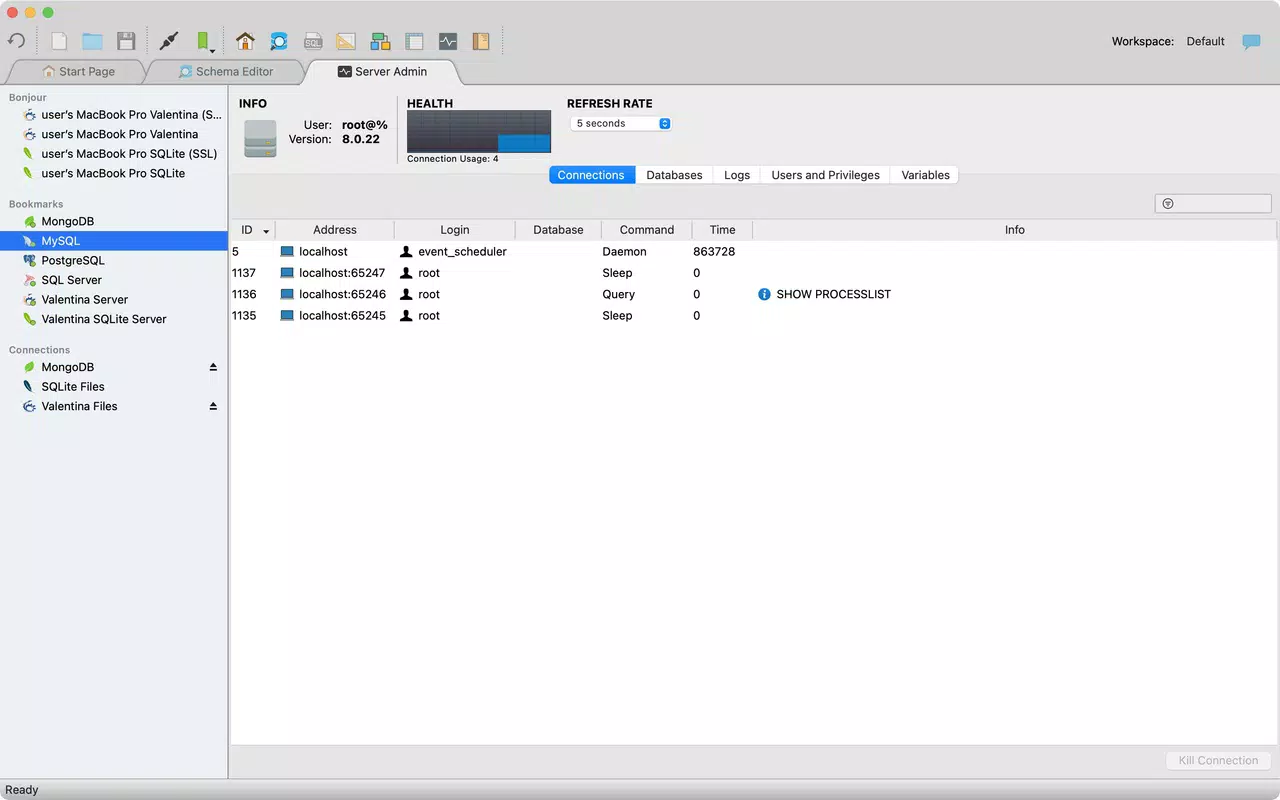
Valentina Studio presents a clean, organized interface with a focus on functionality and clarity. The layout is structured around a central workspace with side panels for navigation, ensuring that key tools remain accessible without cluttering the screen. Visual design emphasizes readability, with clear icons, consistent color coding, and logical grouping of features. Navigation is intuitive, allowing users to switch between the Schema Editor, Diagram Editor, Data Editor, and SQL Editor with minimal effort.
Responsiveness is a notable strength, with smooth transitions between views and minimal lag during data loading or diagram rendering. Although the developer did not list formal performance metrics, the app performs reliably across various device categories, including high-end smartphones and tablets. Stability appears consistent during extended use, with no reported crashes or freezes in standard workflows.
For users managing large databases, the app handles data efficiently through optimized loading and caching mechanisms. The interface adapts well to different screen sizes, ensuring usability on both smaller mobile devices and larger tablets. While the developer did not specify minimum OS requirements or exact device compatibility, the app appears to be designed with cross-device functionality in mind.
Platform Compatibility & Technical Requirements
Valentina Studio is available on both Android and iOS platforms, making it accessible to a wide range of mobile users. The current version is 7.0.0, with a file size of 240 MB. This size reflects the inclusion of multiple visual editors, SQL processing engines, and support for various database formats. The app is designed to run on modern mobile devices with sufficient storage and processing power.
Although the developer did not specify minimum OS requirements, users should ensure their device is running a recent version of Android or iOS to guarantee optimal performance. The app does not require special permissions beyond standard storage and network access, which are necessary for database connectivity and file handling. Compatibility information was not fully disclosed, so users are advised to verify device support before installation.
Pros and Cons
- Comprehensive suite of visual database tools in a single mobile app
- Support for multiple database engines with consistent interface
- Intuitive navigation between schema, diagram, data, and SQL editors
- Robust feature set, including reverse engineering and inline data editing
- Pro version offers advanced tools for professional development workflows
- Price point of $29.99 may be high for casual users or students
- No public information on update frequency or long-term support
- Specific technical requirements not disclosed
- Learning curve may exist for users unfamiliar with database concepts
- Limited availability of free-tier features compared to full functionality
FAQ
Is Valentina Studio available for free?
Valentina Studio offers both free and pro features. While basic functionality is accessible in the free version, advanced tools like report and form editors, data transfer, and enhanced schema management require a paid upgrade.
Can I use Valentina Studio on both Android and iOS?
Yes, Valentina Studio is available on both Android and iOS platforms, allowing users to access database management tools across different mobile ecosystems.
Does Valentina Studio support all major database engines?
The app supports multiple database engines, though the specific list was not provided. It is designed to work with a range of systems commonly used in development and administration.
How secure is Valentina Studio when accessing databases?
Valentina Studio uses standard secure connection protocols for database access. Users are responsible for managing their own credentials and network security, as the app does not store sensitive data locally.
Is there a desktop version of Valentina Studio?
While the mobile version is available, the developer did not confirm the existence of a desktop counterpart. Users should consult official channels for updates on platform availability.
Final Thoughts
Valentina Studio stands out as a powerful, mobile-first solution for database management, combining visual clarity with professional-grade functionality. Its integration of schema, diagram, data, and SQL editors in one app makes it a valuable tool for developers and administrators who need reliable, on-the-go database access. The app’s design prioritizes efficiency, usability, and scalability, offering a compelling alternative to desktop-only tools.
While the $29.99 price tag may deter casual users, professionals who rely on database workflows will find the investment justified by the app’s depth and versatility. The inclusion of both free and pro features ensures accessibility while supporting advanced use cases. For those seeking a secure, feature-rich database utility app for mobile, Valentina Studio delivers a strong value proposition.
Download Valentina Studio now


